Doloc Town Controls
Keyboard, gamepad, and Steam Deck bindings for farming and combat.
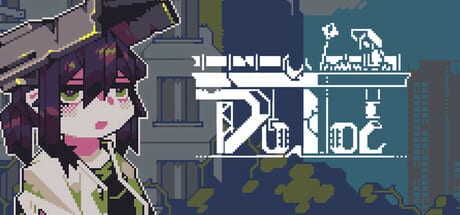
Doloc Town ships with full controller support and UI written for gamepad face buttons — even when you play on keyboard. RedSaw Games Studio optimized the side-scrolling platforming for handheld play, which means PC players often fight unfamiliar glyphs until they remap or switch to a controller. This guide translates in-game notation to practical inputs and points Steam Deck players toward comfortable layouts.
Design philosophy: gamepad first
Menus, tutorials, and quick-use hints display Xbox-style labels (A, B, X, Y, shoulders, triggers). Keyboard players report the layout as “obscure” because keys do not always match WASD muscle memory. The Steam community maintains keyboard translation guides; our table below reflects the left-player layout used in single-player — critical because some builds only register inputs on the left side of a split keyboard setup.
If you stream or use Steam Remote Play, consider a keyboard-to-gamepad emulator so the host sees consistent controller codes. Doloc Town reads simultaneous key presses poorly on membrane keyboards; mechanical keyboards handle diagonal jump-plus-tool use more reliably.
Core movement and interaction
| In-game label | Keyboard (typical) | Controller | Action |
|---|---|---|---|
| A / Confirm | J or K | A button | Interact, talk, confirm menu |
| B / Cancel | L | B button | Cancel, put away tool |
| Move | WASD or arrows | Left stick / D-pad | Walk and run |
| Jump | Space | A (context) | Jump; double jump after guild |
| Dash / Jet | Shift (when unlocked) | RT or custom | Air dash with repaired jetpack |
Platforming sections in River Valley and caves demand precise jump timing. Stamina drains on special moves, so practice near your farm before attempting wetland ledges. See Map regions for terrain that requires double jump or dash.
Tools, quick bar, and farming actions
Farming and crafting assign tools to the quick-use bar. Cycle slots with shoulder buttons on controller or number keys on keyboard depending on your binding. Primary actions include:
- Hoe / till — Prepare planters and field tiles.
- Watering can — Manual irrigation when rain skips.
- Sickle — Multi-tile harvest once crafted.
- Pickaxe / copper pickaxe — Break rocks blocking story paths.
- Fishing rod — Cast at marked water spots.
Equip the wrong slot and you will swing empty air — a common genre pain point. Before long farm rows, empty hands or select the intended tool explicitly. Automation from Farming automation reduces how often you manually hoe and water, but early game is entirely manual; pair controls practice with Getting Started.
Drone commands in combat
After guild membership, your utility/combat drone follows Mody and Cod’s upgrade path. Combat uses separate module triggers — stun, flame, and later advanced payloads discussed in Drone Combat. On controller, modules map to bumpers and triggers; on keyboard, function keys or rebinding is typical.
During swarm fights, lock onto targets with the aim assist bubble and strafe while the drone applies status effects. Doloc Town punishes button mashing; dodge telegraphed enemy lunges before ordering area attacks.
Menus, inventory, and map
Open inventory with the menu button (controller) or Tab/Esc equivalents on keyboard. Drag-and-drop organizes stacks into home storage before selling junk to Lank. The map overlay marks quest objectives, elevator stops, and discovered fast-travel points. Pin active main quests from the journal so platforming segments are not interrupted by backtracking.
Crafting menus at workbenches pause time in safe zones but not everywhere — confirm the clock icon before browsing long recipe lists in Crafting.
Steam Deck and Steam Input
Valve rates Doloc Town Playable on Steam Deck — functional with minor text size and icon quirks, not yet fully Verified at 1.0. Native controller layouts work out of the box; gyro and trackpad are optional via Steam Input. Recommended tweaks:
- Increase UI zoom or use Steam’s magnifier if recipe text strains on OLED screens.
- Raise TDP slightly during blob swarms if frame rate dips below 60 FPS.
- Map back buttons to jump or drone module for platform-heavy sessions.
Full handheld tuning lives in the Steam Deck guide. Battery life often exceeds eight hours at modest TDP because pixel art keeps GPU load low.
Remapping and accessibility
Steam Input (PC or Deck) remaps any action without modding the game. Doloc Town also supports playable without timed input per Steam accessibility tags, but platforming quests still benefit from generous jump buffering. Rebind dash away from sticky keys if you use Steam Remote Play on a laptop.
Mouse and keyboard work for menus, yet the game may still show controller icons — ignore the mismatch once your keys feel right. For a cohesive experience, many review players switch to a PS5 or Xbox pad; see our Review for community sentiment.
Controls checklist by game phase
Days 1–3: Learn interact, jump, tool bar, sleep. Read Weather Protection before sprinting outdoors during acid rain.
River Valley unlock: Practice double jump at the valley entrance; bind it comfortably before the data disk cave.
Post-jetpack: Air dash crosses wide gaps in wetlands — test over safe ground first.
Late game: Drone module combos and automation remotes add hotkeys; update bindings when Automation stations go live.
Related pages
- How to Play — Systems that use these inputs
- Early Game — When you unlock pickaxe and drone
- Daily Checklist — Reduce repetitive manual chores
- Version 1.0 — New automation UI elements
Comfortable controls turn Doloc Town from clumsy to flowing. Spend ten minutes in the farm yard testing jumps and tool swaps before you haul irreplaceable quest items through enemy territory.
Frequently Asked Questions
Quick answers to the most common questions.
Does Doloc Town support keyboard and mouse?
Yes, but UI shows gamepad icons and keyboard bindings feel non-standard. Many PC players use a controller or Steam Input remapping for clarity.
Why do my keyboard inputs not work in multiplayer?
Doloc Town is single-player only. Input issues usually come from using right-side or numpad keys; single-player expects left-player bindings.
How do I use the drone in combat?
After joining the guild, equip modules and fire them via shoulder or trigger buttons on controller. Rebind on keyboard through Steam Input or in-game where supported.
Can I remap controls on Steam Deck?
Yes. Steam Input supports full remapping, back buttons, and gyro. See the Steam Deck guide for recommended layouts and performance tips.
Which control do I need for double jump?
Jump input twice in mid-air after receiving the jetpack during River Valley guild quests. Same button as standard jump.